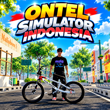
Do you enjoy BMX bikes, freestyle cycling, and competing with other riders online? Ontel Simulator Indonesia APK brings these experiences to Android with a cycling simulator inspired by Indonesian streets. You can customize your bicycle, explore different maps, practice your riding skills, and challenge other players in races.
Developed by VerlyGameDev, Ontel Simulator Indonesia (OSI) focuses on bike personalization, realistic riding details, and multiplayer interaction. Instead of driving cars or completing traditional racing circuits alone, you get to create your own BMX style and ride alongside other players. The game also offers Free Ride mode for exploring maps at your own pace.
In this guide, we’ll look at the game's main features, customization options, maps, racing modes, progression system, and how to install it safely on Android.
What Is Ontel Simulator Indonesia APK?
Ontel Simulator Indonesia is an Android cycling simulation game where players ride BMX-style bicycles through Indonesian-inspired environments. It combines free-roaming exploration with competitive bike racing and social multiplayer features.
The game lets you personalize different bicycle components, adjust your bike's appearance, and customize your rider's clothing and hairstyle. You can then take your creation onto the streets, meet other players, and participate in races.
According to its Google Play listing, the game includes three map options: city streets, Bandung, and a racing circuit. It also supports online rooms where players can chat, add friends, ride together, and compete in live races.
The game is free to play, although it contains advertisements and optional in-app purchases. It supports Indonesian, English, Filipino, and Malay languages.
Key Features of Ontel Simulator Indonesia APK
1. Detailed BMX Bike Customization
One of the main attractions of Ontel Simulator Indonesia is the ability to modify your bicycle. Rather than using the same design as every other player, you can build a bike that reflects your personal style.
The game allows you to change components such as the seat, handlebars, grips, rims, tires, crankset, chain, pedals, and frame. You can also adjust the position and fitment of the handlebars to create a setup that looks right to you.
Additional options include repainting individual parts, applying your own livery, changing wheel and tire sizes, and lowering the bike's appearance.
These choices give bike enthusiasts plenty of reasons to experiment. You might prefer a colorful street-style BMX, a clean minimalist design, or a distinctive custom build that stands out in a multiplayer room.
2. Riding Mechanics With Realistic Details
Ontel Simulator Indonesia pays attention to small details that make cycling feel more engaging.
According to the developer's description, the bicycle pedals rotate according to your speed, while the rear wheel freewheels when you stop pedaling. The rider also stands up from the seat while accelerating.
These details help make the riding experience feel more dynamic than simply moving a bicycle across the screen.
The game also includes wheelie-style riding actions, giving players another way to experiment with their bike control. Learning how the bike responds to acceleration and movement can make free riding more enjoyable.
3. Online Multiplayer
For players who enjoy sharing their gaming experience, OSI includes online multiplayer features.
You can meet riders from different regions in the same room, chat with other players, add friends, and ride together. This social element makes the game more than a solo cycling simulator.
Multiplayer is especially appealing if you want to show off a customized bike or spend time exploring the environment with friends.
An active internet connection is needed for online features. The availability of other players may vary depending on the time and current player activity.
4. Live BMX Racing
If cruising around town feels too relaxed, you can switch to competitive racing.
The game supports one-versus-one and one-versus-three races. These formats provide different challenges, whether you want a direct contest against another rider or a race involving several competitors.
You can also adjust certain racing-related components, including gears, tires, lubricants, and cranks, to improve your bike's performance.
Experimenting with different configurations can be part of the fun. You can test your setup, see how it performs, and make adjustments before your next race.
5. Three Maps to Explore
Ontel Simulator Indonesia offers three map options:
-
City streets: Ride through an urban environment and enjoy a street-cycling atmosphere.
-
Bandung: Explore a map named after the Indonesian city.
-
Circuit: Take your bicycle onto a dedicated racing environment.
Each setting gives you a different place to ride, practice, or compete. The available environments also provide variety for players who want to move between relaxed exploration and organized races.
6. Free Ride Mode
Free Ride mode is useful when you want to explore without focusing on a competitive race.
You can use this mode to get comfortable with the controls, experiment with your bicycle, and discover the map at your own pace. It is also a good opportunity to try different customization choices before joining other riders.
For new players, spending some time in Free Ride mode can make the transition to competitive racing easier.
7. Rider Appearance Customization
The customization options extend beyond the bicycle itself. Players can change their rider's helmet, hat, clothing, shoes, and hairstyle.
This makes it easier to coordinate your character's appearance with your BMX design. You could choose a matching color scheme or build a contrasting look that is easy to recognize.
When combined with custom paint, bike components, and livery, these options give players several ways to develop a unique visual identity.
8. Daily Missions and Level Progression
Ontel Simulator Indonesia includes a progression system designed to encourage regular play.
Completing daily missions can reward you with experience points, coins, and sometimes diamonds. Daily login rewards and special gacha items offer additional opportunities to collect in-game rewards.
As you level up, you can unlock new modification categories, with progression extending up to level 30 according to the game's listing. Community events may also feature redeem codes.
This system gives players goals beyond racing. You can gradually expand your customization choices and work toward the bicycle design you want.
9. Graphics Settings for Different Phones
Not everyone plays on a high-end smartphone. The developer states that Ontel Simulator Indonesia is designed to run on lower-spec phones and provides adjustable graphics quality.
Changing graphics settings can help you find a balance between visual quality and performance. If you experience stuttering, overheating, or slowdowns, lowering the graphics quality is a sensible first step.
Actual performance will still depend on your phone's hardware, available memory, operating system, and the demands of the game.
Story and Game Objective
Ontel Simulator Indonesia is primarily a cycling and racing simulator rather than a story-driven adventure game.
Its central objective is to ride, customize your bicycle, explore the available environments, and compete with other players. Instead of following a long narrative with scripted characters and story missions, you can set your own goals through customization, exploration, racing, and daily challenges.
For example, you might start by learning the controls, then spend time building a personalized BMX. After that, you could explore the maps, join an online room, and challenge other riders.
The progression system adds longer-term goals by rewarding daily missions and unlocking additional modification categories.
This flexible structure works well for players who prefer short gaming sessions or enjoy setting their own challenges.
Gameplay: How to Play Ontel Simulator Indonesia
Step 1: Install and Open the Game
Download Ontel Simulator Indonesia through its official Google Play listing. After installation, open the game and follow the available setup instructions.
If the game requires an internet connection for particular features, make sure your connection is stable before entering multiplayer mode.
Step 2: Customize Your BMX
Explore the bicycle customization options and choose the parts, colors, and appearance that suit your preferences.
You can adjust components such as the handlebars, frame, tires, rims, and pedals. You can also personalize your rider's clothing and hairstyle.
New players may find it helpful to begin with a simple design and experiment with additional options as they become familiar with the game.
Step 3: Practice Your Riding
Spend some time learning how the bicycle responds to acceleration and movement. Try different riding actions and become comfortable with the controls before entering competitive races.
Free Ride mode provides a useful place to practice without the pressure of competing against other players.
Step 4: Explore the Maps
Visit the available city streets, Bandung map, and circuit. Try different routes and become familiar with each environment.
Exploration also gives you an opportunity to enjoy your customized bicycle outside a competitive setting.
Step 5: Join Other Players
When you're ready, enter an online room to meet other riders. You can chat, add friends, ride together, and show off your bicycle modifications.
Remember that multiplayer availability depends on your internet connection and the presence of other players.
Step 6: Try Competitive Racing
Enter a one-versus-one or one-versus-three race and see how your riding setup performs.
If your bicycle needs improvement, experiment with the available racing-related components. Completing daily missions and logging in regularly can also help you progress through the game's reward system.
How to Download Ontel Simulator Indonesia APK on Android
The simplest and safest way to install the game is through Google Play.
-
Open the official Ontel Simulator Indonesia Google Play page.
-
Confirm that the title is Ontel Simulator Indonesia and the developer is VerlyGameDev.
-
Tap Install if the game is available for your device and region.
-
Wait for the installation to finish.
-
Open the game and follow the on-screen instructions.
Using Google Play helps you obtain the version distributed through the developer's official listing and receive updates through the store.
If you are considering downloading an APK file from another website, be cautious. Third-party packages may be outdated, modified, or distributed by someone other than the developer. Avoid files advertised as MOD APKs that promise unlimited currency or unlocked features unless their origin can be independently verified.
Never disable your phone's security protections simply to install an unfamiliar file. If the game is unavailable for your device or region, check the official listing again later rather than relying on an unknown download source.
Tips for a Better Gaming Experience
Start with the default bike setup. Learn the basic riding mechanics before changing several components at once.
Customize gradually. Changing a few parts at a time makes it easier to understand which setup you prefer.
Use Free Ride mode. Practice movement and explore the maps before joining competitive races.
Adjust graphics when necessary. Lower settings may help if your phone struggles to maintain smooth performance.
Complete daily missions. These can provide experience points and in-game rewards that support progression.
Protect your account and device. Install updates through trusted sources and avoid sharing personal information with strangers in online chats.
Frequently Asked Questions
Is Ontel Simulator Indonesia APK free?
The game is listed as free to play on Google Play. It contains advertisements and optional in-app purchases, so some content or purchases may involve additional costs.
Who developed Ontel Simulator Indonesia?
The game was developed by VerlyGameDev, which also publishes other Indonesian-themed simulation games.
Can I customize my BMX bike?
Yes. You can customize numerous bicycle components, including the frame, seat, handlebars, grips, rims, tires, chain, pedals, and crankset. Paint, livery, and fitment options provide additional personalization.
Does Ontel Simulator Indonesia support online multiplayer?
Yes. The listed features include online rooms, chatting, adding friends, riding together, and live races. Online features require an internet connection.
Which maps are available?
The Google Play description lists city streets, Bandung, and a circuit, along with Free Ride mode for map exploration.
Can the game run on low-end Android phones?
The developer states that the game supports lower-spec phones and offers adjustable graphics quality. However, performance depends on your device, so the experience may differ between phones.
Is Ontel Simulator Indonesia an offline game?
The listing specifically advertises online multiplayer, but it does not clearly confirm that every mode works offline. Check the game's requirements and test the available modes on your device.
Conclusion
Ontel Simulator Indonesia APK is a cycling simulation game for Android players who enjoy BMX customization, free exploration, and competitive riding. Its combination of adjustable bicycle components, rider personalization, three maps, online multiplayer, live races, and daily progression gives players several ways to enjoy the experience.
The game is particularly appealing if you like creating a distinctive BMX design and then showing it off while riding with others. Free Ride mode also makes it possible to explore and practice at your own pace, while daily missions provide additional goals.
If you want to try an Indonesian-themed BMX simulator, visit the official Google Play page to check compatibility and install Ontel Simulator Indonesia. Start with a bike design you like, learn the riding mechanics, and explore the available modes before taking on other riders.